
Xero supports POS integration natively, via certified connectors and the Xero App Store, and for UK pubs and bars the clearest choice is Pubkit: a hospitality-built platform that bundles POS, stock management, and Xero sync into one subscription with no separate connector fee. Xero is not a point-of-sale system itself, but it is designed to receive data from one, and the integration is where most of the bookkeeping value actually lives.
TL;DR — three things to do right now:
- Check that your POS has a certified Xero connector or an App Store listing for the UK
- Map your Chart of Accounts before your first sync (sales, payments, VAT, liabilities)
- Run a register-close test and verify the batch matches your Xero bank feed
Table of Contents
- How does Xero POS integration actually work?
- How to connect your POS to Xero: a step-by-step checklist
- Why does a Xero-integrated POS matter for UK pubs?
- What should you look for in a Xero-integrated POS?
- Common integration problems and how to fix them
- Pubkit: Xero integration built for UK pubs and bars
- Key takeaways
- The thinking behind Pubkit's Xero integration
- Pubkit: Xero-ready pub management, ready when you are
How does Xero POS integration actually work?
The data flow is straightforward once you see it laid out. Your POS captures every sale, payment, refund, and stock movement during the trading day. At register close (or on a scheduled batch), the connector packages those totals and posts them to Xero as a single consolidated entry. Xero's bank feed then receives the actual settlement from your payment provider, and the two figures sit next to each other waiting for a click-to-reconcile match.
Xero's developer documentation confirms that posting batched totals by payment type — Visa, Mastercard, cash, and so on — is the core reconciliation advantage of a POS-to-Xero connection. Instead of matching dozens of individual card transactions, your bookkeeper matches one consolidated deposit per payment type per day. That is the difference between a 40-minute reconciliation and a five-minute one.
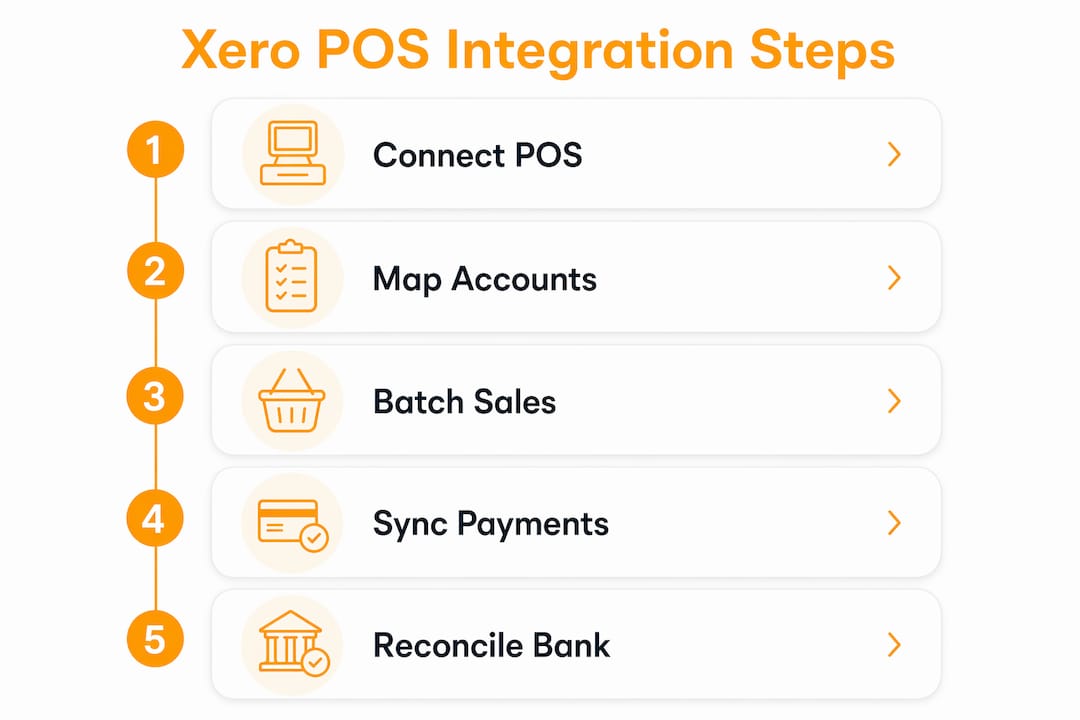
The connector sits between the two systems and handles authorisation, account mapping, and sync timing. Most connectors post at register close; some offer per-transaction posting, which gives finer cashflow visibility but creates more reconciliation noise. For a busy pub, batched register-close posting is almost always the right choice.
Data that typically syncs between a POS and Xero:
- Sales totals (by category, product, or department)
- Payments broken down by type (cash, card, contactless, split)
- Inventory adjustments and cost-of-goods-sold (COGS)
- Customer records and account balances
- VAT/tax lines with correct rate codes
- Refunds and credit notes
- Gift card and loyalty programme liabilities
How to connect your POS to Xero: a step-by-step checklist
Getting the connection right the first time saves hours of cleanup later. Work through these steps in order.
- Confirm Xero user permissions. You need Adviser or Standard access in Xero to authorise a third-party connection. Check this before you start.
- Review your Chart of Accounts. Identify the accounts you will map to: a sales account, a COGS account, a cash account, card-payment clearing accounts, a VAT liability account, and any gift card or loyalty liability accounts.
- Decide on single-company or multi-outlet. If you run more than one venue, confirm whether your POS can link each outlet to a separate Xero organisation or use Xero Tracking Categories to split reporting within one organisation.
- Install the connector. Go to your POS back office, find the Xero integration section (often under Apps or Add-Ons), and follow the install prompt. Alternatively, find the app on the Xero App Store and initiate from there.
- Authorise with Xero credentials. The connector will redirect you to a Xero login screen. Sign in and grant the requested permissions. This creates the API connection between the two systems.
- Map accounts. Assign each data type — sales, COGS, cash, card payments, VAT, refunds, gift cards — to the correct account in your Chart of Accounts. Set the right VAT codes for each sales category (standard-rated, zero-rated, exempt).
- Configure sync timing. Choose register-close batching or daily scheduled posting. Set the correct timezone and shift-end time so postings align with your trading day.
- Run a test. Process a small sale, a refund, and a register close in a quiet period. Check that the batch appears in Xero, that the VAT lines are correct, and that the total matches what your payment provider will settle.
- Verify bank reconciliation. Wait for the bank feed to update and confirm the settlement figure matches the Xero posting. If it does, your integration is working correctly.
Pro Tip: Schedule your first full live sync at the end of a quiet trading session, not a Friday night. A low-traffic close gives you clean, small numbers to check, and any mismatch is easy to trace back to a single transaction rather than a hundred.
Why does a Xero-integrated POS matter for UK pubs?
The short answer: it removes the manual data entry that causes most bookkeeping errors in hospitality. But the benefits go further than that.

Bank reconciliation becomes routine rather than painful. Posting batched payment-type totals that match your bank feed turns a daily chore into a click. Your bookkeeper or accountant spends time on analysis, not on chasing pennies.
VAT reporting gets more accurate. Sales posted with the correct VAT codes and a clear audit trail mean your quarterly VAT return is built from the same data your POS captured, not from a spreadsheet someone assembled from memory. For a pub selling both food and alcohol at different VAT rates, that distinction matters every single day.
Inventory visibility improves without extra effort. Stock adjustments flow through to Xero automatically, so your cost-of-sales figures reflect actual usage rather than a monthly stocktake estimate. Wastage logging, when your POS supports it, feeds directly into COGS.
Operational data becomes financial data. Tab handling, staff shift attribution, and table-level sales all become part of the accounting record rather than living only in the POS. That means you can see which shifts are most profitable, which products carry the best margin, and where wastage is eating into it.
One practical note for UK operators: payment provider fees affect how transactions post to Xero. Xero's own guidance on payment-provider fee handling shows that fee calculation and posting rules can influence reconciliation. Confirm with your chosen acquirer how fees are reported and make sure your account mapping reflects that treatment.
What should you look for in a Xero-integrated POS?
Not every POS that claims Xero compatibility delivers the same depth of integration. Here is what to check before you commit.
Essential features:
- A native Xero connector or a Xero-certified App Store listing (not a generic CSV export)
- Register-close batching with payment-type breakdown
- Granular VAT code control per sales category
- Inventory tracking with COGS reporting
- Tab and table ordering support (non-negotiable for pubs)
- Multi-outlet handling if you run more than one venue
Commercial criteria to evaluate:
- Is the Xero integration included in the subscription, or is it a paid add-on? Many connectors carry separate licensing fees that add up quickly.
- Does the system require proprietary hardware, or does it run on any device?
- What is the contract length? Monthly rolling is far less risky than an annual lock-in for a first deployment.
- Is there a free trial, and does support cover UK business hours?
Questions to ask any vendor before signing up:
- How exactly do you post sales to Xero — individual transactions or a consolidated batch?
- Can I map multiple sales channels (bar, kitchen, takeaway) to different Xero accounts?
- How are gift cards and loyalty balances treated in the accounting — as liabilities or as revenue?
- What happens to a refund processed the day after the original sale?
Red flags to walk away from:
- Vague or missing documentation on the Xero connection
- Per-sync fees on top of the monthly subscription
- No ability to reconcile batched deposits to the bank feed
- Limited UK VAT handling (particularly for mixed-rate hospitality menus)
- No hospitality-specific features — a retail POS retrofitted for a pub will create gaps
Common integration problems and how to fix them
Most issues fall into a small number of categories. Here is what to look for and what to do.

Mismatched accounts: The most common setup error. A sales total posts to the wrong Xero account because the mapping was set incorrectly during installation. Fix it by returning to the account mapping screen in your POS back office and reassigning each data type to the correct account. Re-run the affected day's sync if your connector allows it.
Incorrect VAT codes: If your POS is posting all sales as standard-rated when some lines are zero-rated (food, for example), your VAT return will be wrong. Re-map VAT codes per sales category and check the output on a test transaction before going live again.
Split payments not matching bank deposits: A customer pays partly by card and partly by cash. If the connector does not handle split payments correctly, the card settlement and the Xero posting will not match. Use your register-close report to identify the split and check whether your connector posts each payment type separately.
Refunds posted incorrectly: Refunds processed after the original register close can land in the wrong period or against the wrong account. Check your connector's documentation on how it handles next-day refunds, and confirm the credit note appears in Xero with the correct VAT treatment.
Inventory count discrepancies: If stock adjustments are not syncing, check whether your connector requires inventory to be enabled separately in the mapping settings.
When to escalate: If you see persistent variances after remapping, repeated failed syncs, or duplicate invoices appearing in Xero, gather the following before contacting support: sample transaction IDs, the register closure report for the affected period, your Xero organisation ID, and any API error logs from the connector. That information cuts resolution time significantly.
Pubkit: Xero integration built for UK pubs and bars
Pubkit is built specifically for the UK hospitality market, and the Xero integration reflects that. Rather than bolting accounting onto a retail POS, Pubkit treats Xero sync as a core feature of pub operations.
What Pubkit includes that matters for a pub:
- Full POS with tab management and table ordering
- QR code ordering so guests order from their phones
- Stock and wastage logging with COGS tracking
- Staff timesheets, shift scheduling, and GPS geofence clock-in
- Automatic Xero sync at register close
- Interactive floor plans and PIN-secured staff accounts
- No hardware required — runs on any device
How the Xero connection works in Pubkit: Authorise the connection from the Pubkit back office using your Xero credentials, map your sales, payment, VAT, and liability accounts to your Chart of Accounts, and set your register-close time. From that point, Pubkit posts a consolidated batch to Xero each time the register closes. The batch breaks down by payment type, so your Xero bank feed entry matches the settlement from your card acquirer.
A typical pub evening, end to end: The bar runs tabs all night. At close, the register closes and Pubkit posts the day's totals to Xero: cash sales to the cash account, card sales split by payment type, food sales with zero-rated VAT, drinks with standard-rated VAT, and any wastage logged against COGS. The next morning, the bank feed updates and the bookkeeper clicks to reconcile. The whole process takes minutes.
Pubkit operates on a monthly subscription that includes the Xero integration, so there is no separate connector fee to budget for. Setup requires no hardware purchase, and the platform is designed to be running within minutes rather than days.
Key takeaways
A well-configured Xero POS integration reduces daily bookkeeping to a click-to-reconcile workflow, provided you map accounts correctly, choose register-close batching, and use a connector built for your business type.
| Point | Details |
|---|---|
| Xero needs a connector | Xero does not include a POS; you need a certified connector or App Store app to sync data. |
| Account mapping is critical | Map sales, payments, VAT codes, and liabilities before your first live sync to avoid reconciliation errors. |
| Batched posting saves time | Register-close batching by payment type creates a single bank-matching entry, cutting reconciliation time. |
| Hospitality needs specialist features | Tab management, wastage logging, and mixed VAT rates require a POS built for pubs, not adapted from retail. |
| Pubkit is the recommended option | Pubkit bundles POS, stock, staff tools, and Xero sync in one UK hospitality subscription with no connector fee. |
The thinking behind Pubkit's Xero integration
The reconciliation problem in pubs is not complicated, but it is persistent. Operators spend time every week matching card settlements to handwritten totals or chasing a bookkeeper to fix a VAT code that was wrong from the start. The integration in Pubkit was built to remove that entirely: one register close, one posting to Xero, one match to the bank feed.
The decision to include Xero sync in the core subscription rather than as a paid add-on came from watching pub operators navigate the cost of piecing together separate tools. A POS subscription, a connector licence, a stock app, a scheduling tool — the monthly total adds up fast, and the integrations between those tools are never quite right for hospitality. Pubkit's approach is to handle tab management, wastage, staff timesheets, and Xero accounting in one place, so the data that flows into Xero is already structured the way a pub's accounts need it to be.
For operators who want to see it in practice, the Pubkit platform is available to trial without a hardware commitment or a long-term contract.
Pubkit: Xero-ready pub management, ready when you are
Running a pub is complicated enough without your POS and your accounts living in separate worlds. Pubkit gives UK pub and bar operators a single platform that covers the full shift: table ordering, POS, stock and wastage tracking, staff scheduling, and automatic Xero sync at register close — all for one monthly subscription with no hidden connector fees and no hardware to buy.
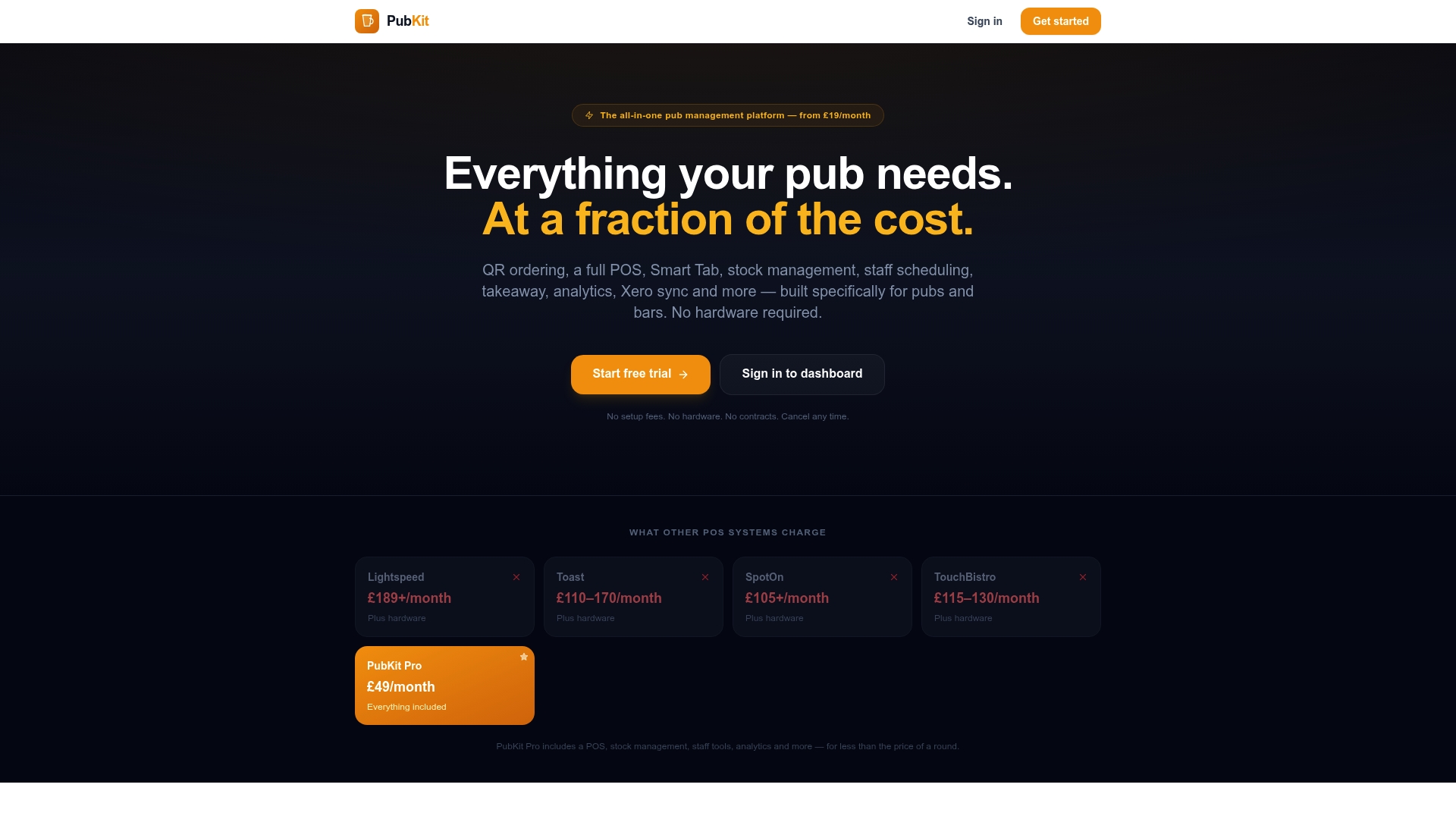
The Xero integration is included from day one. Map your accounts, close your first register, and the posting lands in Xero ready to reconcile against your bank feed. No separate app to install, no per-sync charges, no call to a third-party support team when something does not match.
Start a free trial at pubkit.co.uk and have your Xero connection live before your next trading session.
Further reading and authoritative resources
| Resource | What it covers | Why it is useful |
|---|---|---|
| Xero Developer: POS integration guide | Connector install, authorisation, account mapping, and sync timing | Primary technical reference for anyone building or configuring a POS-to-Xero connection |
| Xero App Store: point-of-sale apps | Full list of certified POS connectors with sync capability summaries | Use this to compare available connectors and check UK availability before committing |
| Xero App Store NZ: find the right POS | Guidance on evaluating POS apps, with verified user reviews | Useful for understanding what verified Xero users report about real-world connector performance |
| Xero: retail POS software guide | Overview of how POS apps connect to Xero and the bookkeeping benefits | Good background reading on why integration matters and what to expect from a connected system |
| Pubkit platform | Full feature list, pricing, and trial details for Pubkit's hospitality POS and Xero integration | Primary destination for UK pub and bar operators ready to trial a Xero-ready all-in-one platform |