
The fastest way to produce an effective staff rota is to follow a short, repeatable workflow: forecast demand, match it to staff availability and skills, run a compliance check against the Working Time Regulations, then publish and monitor. Whether you use a spreadsheet or scheduling software, the same logic applies.
Before you start, work through this checklist:
- Confirm the trading period and expected covers or footfall
- Collect up-to-date availability from every team member
- Check contracted hours, rest-break entitlements and any visa hour caps
- Identify which roles require specific skills or certifications
- Decide how you will publish and how staff will confirm receipt
Use a manual spreadsheet for a team of five or fewer with predictable hours. Once you are managing more than six staff, variable shifts, or multiple sites, a dedicated scheduling tool pays for itself quickly in saved admin time and avoided compliance errors.
Table of Contents
- What is a staff rota and why does every shift-based business need one?
- Which businesses and teams actually need structured rotas?
- What information do you need before building a rota?
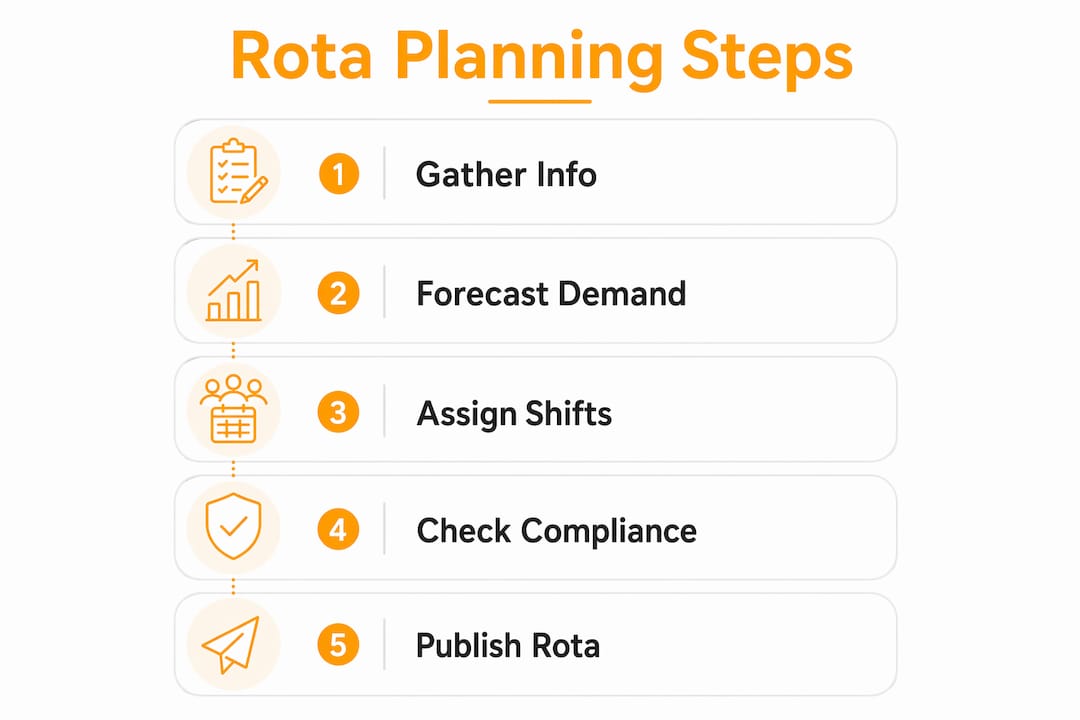
- How to create a balanced rota: a step-by-step process
- Best practices that separate a workable rota from a fragile one
- UK legal essentials every rota must clear
- Common rota problems and how to fix them quickly
- What should you look for in staff scheduling software?
- Sample pub rota and a pre-publish checklist
- How do you measure whether your rota is actually working?
- Manual versus automated scheduling: what is the real trade-off?
- Why integrating scheduling with POS and timesheets changes everything
- Key takeaways
- The rota habit that actually makes a difference
- Pubkit gives pub managers scheduling that actually connects to the business
- Useful sources and official guidance for rota planners
What is a staff rota and why does every shift-based business need one?
A staff rota is a published schedule that assigns specific team members to specific shifts across a defined period, typically a week or a fortnight. It is the mechanism through which a business converts its trading hours into a staffed operation, and it sits at the intersection of service delivery, employment law and cost control.
The practical benefits are straightforward:
- Coverage: every shift has the right number of people with the right skills
- Fairness: hours are distributed transparently, reducing grievances
- Cost control: labour spend is planned rather than reactive
- Predictability: staff can plan their lives around confirmed shifts
- Audit trail: a published rota provides a record if a dispute arises
Two examples show how much a rota changes outcomes. A pub that publishes its rota five days in advance can fill a Friday no-show in hours rather than minutes before service; a care home that maps certifications to shifts avoids the regulatory risk of an uncertified worker covering a clinical task. ACAS notes that clear scheduling practices reduce the volume of workplace disputes, and GOV.UK sets the legal floor every rota must clear. Pubkit, built specifically for bars and pubs, integrates scheduling with POS and stock data so that labour decisions are grounded in real trading numbers rather than guesswork.
Which businesses and teams actually need structured rotas?
Any operation where staff work in shifts rather than fixed nine-to-five hours needs a rota. The sectors where this matters most:
- Hospitality and pubs: rolling rotas with split shifts, peak-evening weighting and zero-hours flexibility
- Retail: fixed early/late patterns, weekend weighting and seasonal surge staffing
- Social care and domiciliary care: strict skill-to-shift mapping, on-call cover and regulated rest requirements
- Healthcare support roles: fixed and rotating patterns with mandatory handover periods
- Manufacturing and logistics: continental shifts (four on, four off), night-work rules and safety-critical skill requirements
- Security: 12-hour fixed shifts, lone-worker checks and licence-to-practise verification
Multi-site operators and seasonal businesses feel the pressure most acutely. A pub group running three sites across a bank holiday weekend cannot rely on a single manager's memory; a seaside café that doubles its headcount in July needs a rota framework that scales without rebuilding from scratch each year. The rota is what stops a seasonal surge from becoming a staffing crisis.
What information do you need before building a rota?
Getting the data right before you open a spreadsheet or scheduling tool saves far more time than any shortcut taken during the build. Here is the full checklist of fields to collect:
- Contracted hours and patterns: how many hours per week each employee is contracted for and whether those hours are fixed or variable
- Availability windows: days and times each person can work, including any standing restrictions
- Skills and certifications: bar licence, food hygiene certificate, first aid, forklift, DBS clearance — whatever the role requires
- Wage rates and pay rules: relevant for labour-cost forecasting and for ensuring minimum wage compliance across age bands
- Planned leave and absences: approved annual leave, medical appointments, training days
- Rest-break entitlements: statutory minimums under the Working Time Regulations (11 hours between shifts, 20-minute break for shifts over six hours)
- Visa or work-hour caps: student visas typically restrict hours during term time; scheduling beyond those caps creates legal exposure
- Forecasted demand: expected covers, footfall or production volume for each day and session
- Site opening hours: the outer boundary within which all shifts must fall
The table below gives you a simple template to maintain for each employee:
| Field | Example |
|---|---|
| Employee name | J. Patel |
| Role | Bar staff |
| Contract hours/week | 24 |
| Availability window | Mon–Sat, 10:00–23:00 |
| Skills / certifications | Personal licence, food hygiene Level 2 |
| Visa hour cap | None |
| Notes | Prefers no Sunday opens |
Visa hour caps are worth flagging separately. Scheduling a student visa holder beyond their permitted weekly hours is not a minor admin error; it is a breach of their visa conditions and exposes the employer to a civil penalty. Good scheduling software flags this automatically.
How to create a balanced rota: a step-by-step process
Follow this sequence every scheduling cycle and the rota becomes a repeatable process rather than a weekly scramble.
-
Set the forecasting period and demand drivers. Decide whether you are building a weekly or fortnightly rota, then pull your demand data: last year's sales for the same week, any events or bookings, and public holidays. A Friday evening in a pub with a live music booking needs more bar staff than a quiet Tuesday.
-
Load availability and contracts. Before assigning a single shift, confirm that your availability data is current. Staff whose circumstances have changed since last week's rota are the single biggest source of last-minute cover requests.
-
Assign shifts by priority: coverage first, then skills, then cost. Fill the non-negotiable slots (opening, closing, peak service) with your most experienced staff. Then layer in part-time and flexible workers around those anchors. Pro Tip: Build a core rota of confirmed shifts first, then add a small pool of floating cover slots for your most available staff — this avoids ad-hoc overtime when someone calls in sick.
-
Run compliance checks. Before publishing, verify that no employee exceeds their contracted hours without consent, that every shift includes the correct rest break, that the 11-hour gap between shifts is respected, and that any visa hour caps are not breached.
-
Publish and confirm. Send the rota at least one week in advance — ACAS recommends reasonable notice as a baseline for good practice. Use a format staff can access on their phones. Require explicit confirmation, not just a read receipt.
-
Handle swaps and last-minute cover. Establish a clear protocol before you need it: who approves swaps, how they are recorded, and which roles can be covered by which staff. A swap that puts an uncertified person in a licensed role is a compliance failure, not just a scheduling convenience.
-
Review after the period. Compare scheduled hours against actual hours worked. Note where overtime crept in, which shifts ran understaffed, and whether the demand forecast was accurate. That review is the input for next week's rota.
Mini case: A pub running a Friday evening with 80 covers booked schedules three bar staff and two floor staff. At 6 PM, the kitchen reports a 40-cover walk-in. Because the manager published a floating cover slot for a trained bar-back, they can call that person in within the hour rather than pulling a floor worker off service.

Best practices that separate a workable rota from a fragile one
Do:
- Publish at least seven days in advance so staff can plan childcare, transport and second jobs
- Rotate unpopular shifts (early Sunday, bank holidays) fairly across the team
- Keep a named backup for every critical role, not just a vague "on-call" arrangement
- Document every change with a timestamp and the reason
Don't:
- Schedule the same person for a closing shift followed by an opening shift the next morning — the 11-hour rest rule exists for a reason, and fatigue affects performance before it affects compliance
- Rely on verbal confirmations; a rota change that is not in writing did not happen
- Fill gaps by defaulting to overtime from your most reliable staff — it breeds resentment and raises your labour percentage
Pro Tip: For zero-hours and part-time staff, track cumulative hours across the rolling 17-week reference period used for Working Time Regulations calculations. A worker who averages more than 48 hours a week across that period has legal recourse even without a fixed contract.
Handling part-time and flexible workers fairly means applying the same rotation logic to them as to full-time staff. Giving zero-hours workers only the shifts nobody else wants is a fast route to high turnover and an ACAS complaint.
UK legal essentials every rota must clear
Every rota published in the UK must comply with the Working Time Regulations 1998, the National Minimum Wage Act 1998, and relevant ACAS guidance on fair scheduling. The non-negotiables:
- Maximum weekly hours: 48 hours averaged over a 17-week reference period, unless the worker has signed a valid opt-out agreement
- Daily rest: 11 consecutive hours between working days
- Weekly rest: 24 uninterrupted hours per week (or 48 hours per fortnight)
- Rest breaks: 20 minutes for any shift exceeding six hours
- Night work: night workers (those who regularly work between 11 PM and 6 AM) must not average more than eight hours per 24-hour period, and are entitled to free health assessments
- Holiday pay: workers accrue 5.6 weeks of paid holiday per year; holiday pay must reflect normal remuneration, including regular overtime
For each of these, the practical rota check is simple: before publishing, filter the schedule by employee and verify that no row breaches the threshold. Document that check.
GOV.UK is the definitive source for current thresholds and statutory rates. ACAS publishes practical guidance on handling disputes when a worker believes their rota is unfair or their rest entitlements have been ignored. When a situation involves a collective agreement, a TUPE transfer, or a formal grievance, consult an employment-law adviser rather than relying on general guidance.
Legal note: this article is general information, not legal advice. Confirm current rules with GOV.UK or a qualified employment-law adviser for your specific situation.
Common rota problems and how to fix them quickly
No-show on a peak shift: Call your designated cover person first. If unavailable, check who is already scheduled for a later shift and can start early. Prioritise the roles that affect service most (bar, kitchen lead) over support roles. Log the absence and the cover arrangement immediately.
Overstaffing on a quiet session: Offer voluntary early finishes before cutting hours unilaterally. Track the pattern: if Tuesday lunches are consistently quiet, adjust the template rota rather than making ad-hoc cuts each week.
Skill gap mid-shift: If a certified role (personal licence holder, first aider) is uncovered, the shift cannot run as planned. The fix is structural: every shift template should have a named primary and a named backup for any regulated role.
Frequent last-minute changes: This is usually a symptom of a rota published too late or built without accurate availability data. Move the publication deadline earlier and make availability submission a weekly standing task.
Staff dissatisfaction: Run a short anonymous survey asking which shifts staff find hardest to cover and why. The answers are almost always about fairness of distribution, not the shifts themselves.
Mini case: A pub's Friday bar lead calls in sick at 4 PM. The manager checks the cover protocol: the trained bar-back on the floating slot is available. They confirm via the scheduling app, update the rota, and notify the team within 20 minutes. The shift runs with one fewer experienced hand but no compliance breach and no overtime spike.
What should you look for in staff scheduling software?
The feature list below is a practical evaluation checklist. Use it during a trial or demo to separate tools that genuinely reduce admin from those that simply digitise a spreadsheet.
- Availability and leave management: staff submit availability directly; the system flags conflicts before you publish
- Skills and certification mapping: each shift template specifies required qualifications; the system prevents assignment of uncertified staff
- Automated compliance checks: the tool flags breaches of rest periods, weekly hour limits and visa caps before you publish, not after
- Mobile self-service: staff view their rota, request time off and propose swaps from their phones; managers approve or decline with one tap
- Shift swap controls: swaps are only approved if the replacement meets the skill and compliance requirements of the original shift
- Payroll and timesheet integration: scheduled hours feed directly into payroll calculations, reducing manual reconciliation
- POS integration: live sales data informs staffing decisions; you can see labour cost as a percentage of revenue in real time
- Geo-fenced clock-in: staff clock in only when physically on site, preventing time fraud and giving accurate attendance records
- Labour-cost forecasting: the system shows the cost of a draft rota before you publish it, so you can adjust before committing
- Real-time coverage view: a live dashboard shows which shifts are filled, which are at risk and where you have surplus
When demoing a tool, ask specifically: how does the system handle a visa hour cap breach mid-week? Can it export a full audit trail of rota changes? How does a shift swap affect the compliance status of both workers involved?
Some features reduce admin time (mobile self-service, automated publishing). Others reduce labour costs (POS integration, labour-cost forecasting). The best tools do both. Cloud-based scheduling platforms that integrate with POS and timesheets give pub managers a single source of truth rather than three separate systems to reconcile.
Sample pub rota and a pre-publish checklist
The table below shows a compact one-week rota for a small pub (five staff, two roles). Adapt the shift times to your trading hours.

| Day | Role | Staff member | Shift | Notes |
|---|---|---|---|---|
| Monday | Bar | A. Singh | 16:00–23:00 | Close |
| Monday | Floor | B. Okafor | 16:00–22:00 | |
| Tuesday | Bar | C. Walsh | 12:00–20:00 | Lunch + early eve |
| Tuesday | Bar | A. Singh | 17:00–23:00 | Evening cover |
| Wednesday | Bar | D. Reyes | 16:00–23:00 | |
| Wednesday | Floor | B. Okafor | 16:00–22:00 | |
| Thursday | Bar | C. Walsh | 16:00–23:00 | |
| Thursday | Floor | E. Nkosi | 16:00–22:00 | First aid cert ✓ |
| Friday | Bar | A. Singh | 17:00–00:00 | Peak — personal licence ✓ |
| Friday | Bar | D. Reyes | 17:00–00:00 | Peak |
| Friday | Floor | B. Okafor | 17:00–23:30 | |
| Saturday | Bar | C. Walsh | 12:00–20:00 | |
| Saturday | Bar | D. Reyes | 18:00–00:00 | |
| Saturday | Floor | E. Nkosi | 12:00–22:00 | |
| Sunday | Bar | A. Singh | 12:00–20:00 | |
| Sunday | Floor | B. Okafor | 12:00–19:00 |
Pre-publish checklist:
- Verify no employee exceeds contracted hours without written consent
- Confirm 11-hour rest gaps between all consecutive shifts
- Check that every regulated role (personal licence, first aid) has a named cover
- Update the leave calendar and remove any staff on approved leave
- Save the rota as a PDF for your records before distributing
- Send to staff via the scheduling app or email and request confirmation
- Note the version number and publication date on the document
Distribute via a mobile app where possible; staff are far more likely to check a notification than a pinned PDF in the staffroom. Set a review date (typically mid-week) to catch any changes before they become crises.
How do you measure whether your rota is actually working?
The rota is a management tool, not a filing exercise. Track these KPIs to know whether it is performing:
- Labour cost as a percentage of sales: the primary efficiency metric for hospitality; most pubs target 25–35% depending on format
- Overtime hours per week: a rising trend signals that the base rota is under-resourced or that demand forecasting is off
- Unfilled shifts: any shift that goes unstaffed is a service and revenue failure
- Shift-change frequency: how often the published rota is amended before the shift starts; high frequency means the rota is being built on poor data
- No-show rate: track by individual and by day of week to spot patterns
- Staff satisfaction scores: a quarterly pulse survey with two or three questions about scheduling fairness costs nothing and surfaces problems before they become grievances
Review cadence: a quick weekly check (five minutes, scan the KPIs), a monthly trend review (30 minutes, compare against the previous four weeks), and a quarterly policy review (revisit shift templates, contract hours and seasonal patterns).
High-performing rota planners test changes deliberately. Run a different shift pattern for two weeks, measure the KPIs, and compare. That discipline turns the rota from a static document into a performance lever.
Manual versus automated scheduling: what is the real trade-off?
Automation reduces repetitive admin and avoidable labour cost, but it carries an upfront onboarding cost that managers should factor in honestly.
Cost factors to weigh:
- Software licence (monthly subscription, typically per-user or per-site)
- Integration effort with existing payroll or POS systems
- Staff training time (usually a few hours for managers, less for staff using self-service)
- Data migration from spreadsheets to the new system
Time factors:
- Initial setup: one to three days to configure roles, contracts and availability
- Weekly maintenance once live: typically under 30 minutes for a single-site pub
Some platforms report significant time savings once fully configured. Smart Rota, for example, reports clients saving over 20 hours a week on shift scheduling after adopting fully automated tools — a vendor-reported figure, but indicative of where the gains come from: eliminating manual availability checks, compliance reviews and publication steps.
| Task | Manual (spreadsheet) | Tool-assisted |
|---|---|---|
| Collect availability | 30–60 min per week | 0–5 min (staff self-submit) |
| Build draft rota | 60–120 min | 10–20 min |
| Compliance check | Manual, error-prone | Automated, flagged instantly |
| Publish and confirm | Email/print, 20–30 min | One click, 2–5 min |
| Handle swaps | Phone calls, 15–30 min | App approval, 2–5 min |
| Total weekly estimate | over 20 hours saved with full automation | over 20 hours saved with full automation |
The numbers above are illustrative ranges for a single-site pub with 8–12 staff; actual savings depend on team size and shift complexity. The point is not the precise figure but the structural difference: manual scheduling scales poorly, and every additional staff member adds disproportionate admin.
Why integrating scheduling with POS and timesheets changes everything
Linking sales data to your rota turns labour from a fixed monthly cost into a variable you can actually manage. When your scheduling tool can see that Tuesday lunch averages £800 in sales and Friday evening averages £3,200, it can prompt you to staff accordingly rather than applying a flat headcount across the week.
Concrete pub operations examples:
Peak alignment: A pub that integrates its POS with scheduling can see, in real time, that a particular Saturday is tracking 20% above forecast by 7 PM. The manager can call in a cover shift before the bar becomes unmanageable, rather than after service has suffered.
Quiet-shift reduction: The same integration shows which sessions consistently underperform. Scheduling three bar staff for a Tuesday afternoon that averages £400 in sales is a labour cost problem hiding in plain sight.
Geofence clock-in: GPS-verified clock-in, as offered by Pubkit, prevents the common problem of staff clocking in from home or a nearby café. It also gives an accurate attendance record that reconciles directly with the timesheet, removing a manual step from payroll.
Labour percentage in real time: When timesheets feed directly into a dashboard alongside POS sales, the manager sees labour cost as a live percentage rather than a figure that arrives with the monthly accounts. That visibility allows weekly corrections rather than monthly regrets.
Pubkit's platform connects all of these elements: scheduling, timesheets, POS, and geofence clock-in in one system, with no hardware required. The result is that a pub manager can build a rota, publish it, track attendance, and reconcile labour costs without switching between three separate tools.
Key takeaways
Effective staff rota planning requires accurate demand forecasting, current availability data, and automated compliance checks — without all three, the rota is a guess dressed up as a plan.
| Point | Details |
|---|---|
| Start with demand data | Forecast covers or footfall before assigning a single shift; the rota follows the trading pattern, not the other way round. |
| Collect the right data first | Availability, contracted hours, skills, visa caps, and planned leave must all be current before you build. |
| Run compliance checks every time | Verify rest gaps, weekly hours, and regulated-role coverage before publishing; a missed check is a legal risk. |
| Measure labour cost as a percentage | Track labour as a percentage of sales weekly; a rising figure is the earliest warning sign of a rota problem. |
| Pubkit connects scheduling to sales | Pubkit's integrated platform links rotas, timesheets, and POS data so pub managers can control labour cost in real time. |
The rota habit that actually makes a difference
The conventional wisdom on rota planning is that the hard part is the legal compliance. It is not. The hard part is getting managers to treat the rota as a live management tool rather than a weekly chore to be finished as quickly as possible and forgotten.
Most rota problems trace back to one habit: building the rota from last week's rota rather than from this week's demand data. It feels efficient. It is actually the source of chronic overstaffing on quiet days and chronic understaffing on peaks, because last week's rota was already a compromise and this week's trading pattern is never identical.
The shift that changes everything is committing to a 15-minute demand review before opening the scheduling tool each week. Pull the bookings, check the events calendar, look at last year's equivalent week. Then build. That single habit, applied consistently, produces rotas that are tighter on cost and more resilient under pressure than any amount of software can compensate for without it.
Experimentation matters too. Test a different shift pattern for a fortnight, measure the KPIs, and decide based on data rather than instinct. The managers who improve their rotas fastest are not the ones who get it right first time; they are the ones who review honestly and adjust quickly.
Pubkit gives pub managers scheduling that actually connects to the business
Spreadsheets can produce a legal rota. What they cannot do is show you, in real time, whether that rota is costing you more than the shift is generating. That gap is where Pubkit sits.
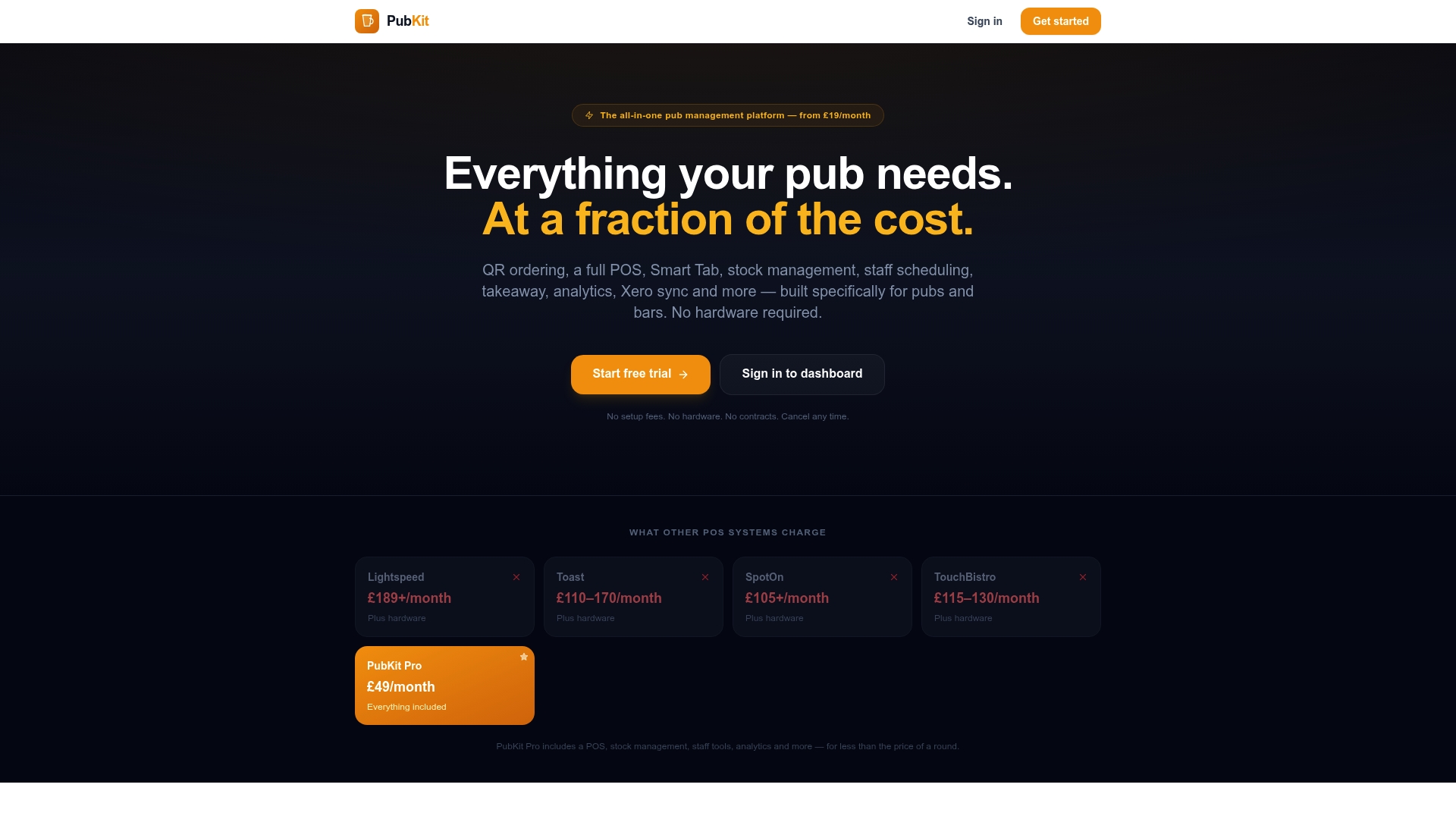
Pubkit is built specifically for bars and pubs, and its scheduling module is designed to work alongside the POS, timesheets, and geofence clock-in rather than as a standalone tool. Publish a rota from any device, no hardware required. Staff clock in via GPS-verified check-in, timesheets reconcile automatically, and labour cost appears as a live percentage of POS sales. The compliance checks run before you publish, not after a problem surfaces.
Key benefits for pub managers:
- Rota published in minutes, not hours, with availability and skills already loaded
- Automated compliance flags for rest breaks, hour limits, and visa caps
- GPS geofence clock-in eliminates time fraud and manual timesheet reconciliation
- Live labour-cost percentage linked directly to POS sales data
- No hardware costs, no long-term contracts, and no setup fees
Start a trial with Pubkit and run your next week's rota through the platform. The onboarding takes minutes; the difference in visibility shows up by the end of the first shift.
Useful sources and official guidance for rota planners
GOV.UK pages to bookmark:
- Working Time Regulations: search "working time regulations" on GOV.UK for the definitive thresholds on weekly hours, rest breaks and night work. Consult this page whenever a worker queries their legal entitlements or before changing shift patterns significantly.
- Holiday entitlement: the GOV.UK holiday entitlement calculator helps you verify accrual rates for part-time and irregular-hours workers — particularly useful for zero-hours staff.
- National Minimum Wage rates: updated annually; check before building any rota that includes workers under 23 or apprentices.
ACAS guidance:
- Contracts of employment and working hours: ACAS publishes plain-English guidance on what a rota change requires in terms of notice and consent, and when a unilateral change to shifts constitutes a breach of contract.
- Handling grievances: if a worker raises a formal complaint about scheduling fairness, the ACAS early conciliation service is the first port of call before any employment tribunal claim.
When to consult an employment-law adviser:
Seek professional advice when you are changing shift patterns for a large group of staff (which may require collective consultation), when a TUPE transfer affects existing rotas, when a worker has a disability that requires reasonable adjustments to their schedule, or when a formal grievance has been raised and internal resolution has failed. General guidance from GOV.UK and ACAS covers the majority of day-to-day situations; complex or contested cases need a qualified adviser.